 Kitsouk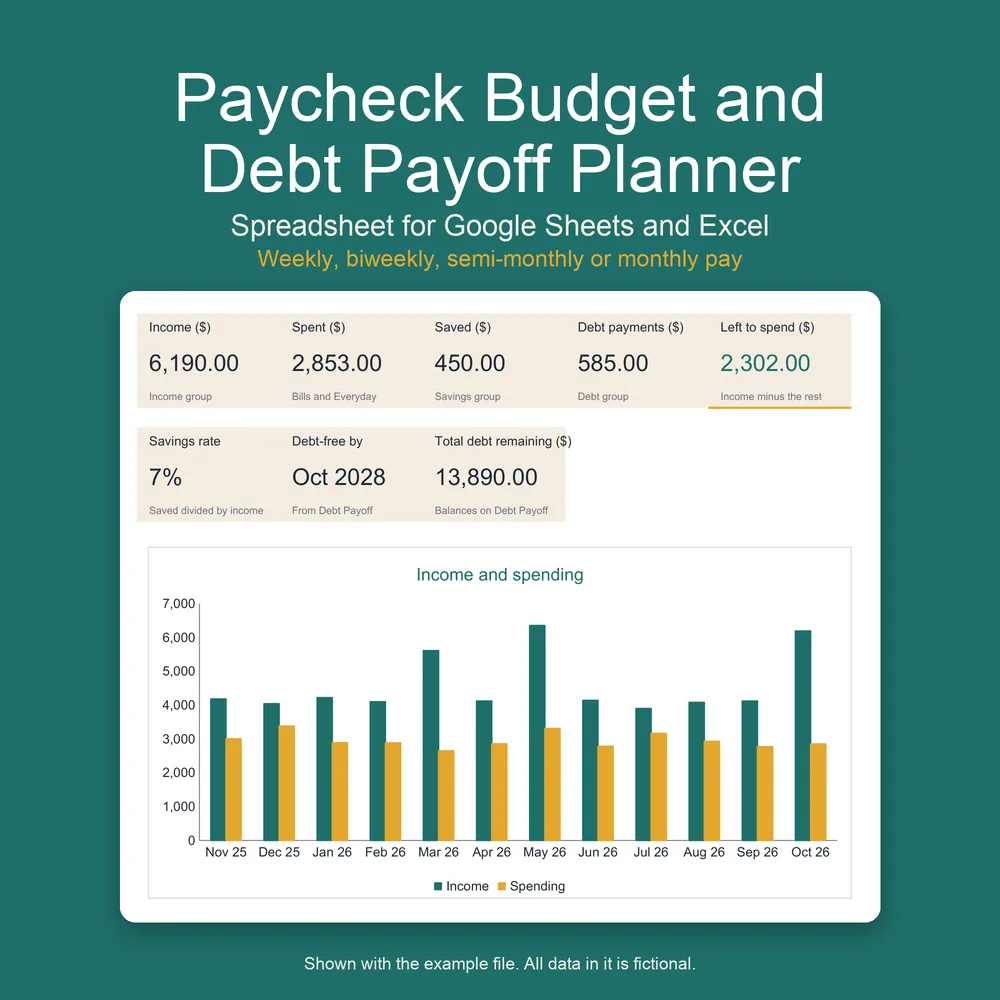
Paycheck Budget and Debt Payoff Planner
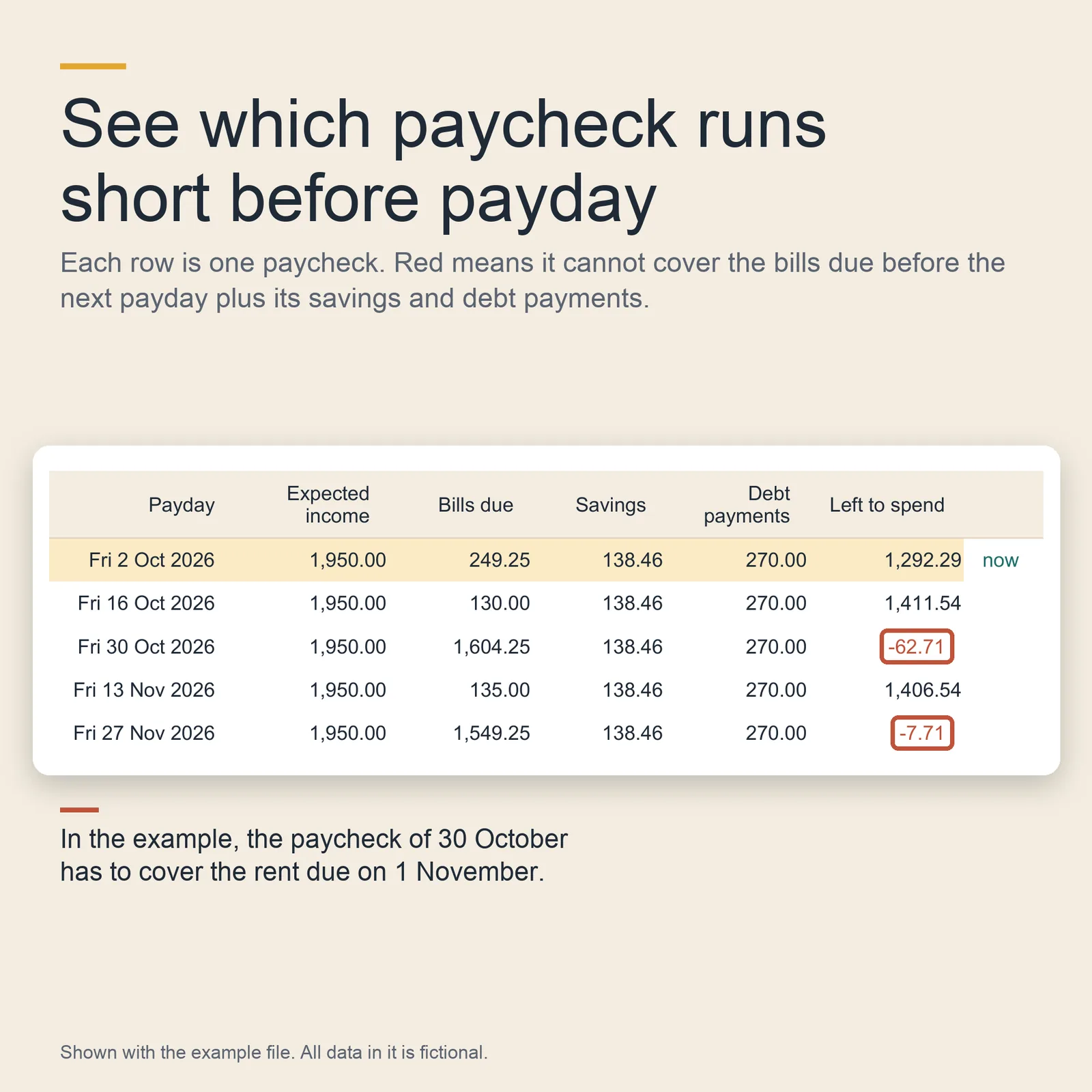
A budget spreadsheet built around your paydays. For each payday it lists the bills due before the next one, so you can see which paycheck runs short before it arrives. It also plans your debt payoff, with a debt-free date, and tracks what you spend against what you planned.
Digital download: nothing is shipped. You buy it in the KitsoukStudio shop on Etsy, which collects any sales tax or VAT due where you live.
Buy on Etsy for 12 USD- Nine tabs, in one .xlsx file, plus a filled example
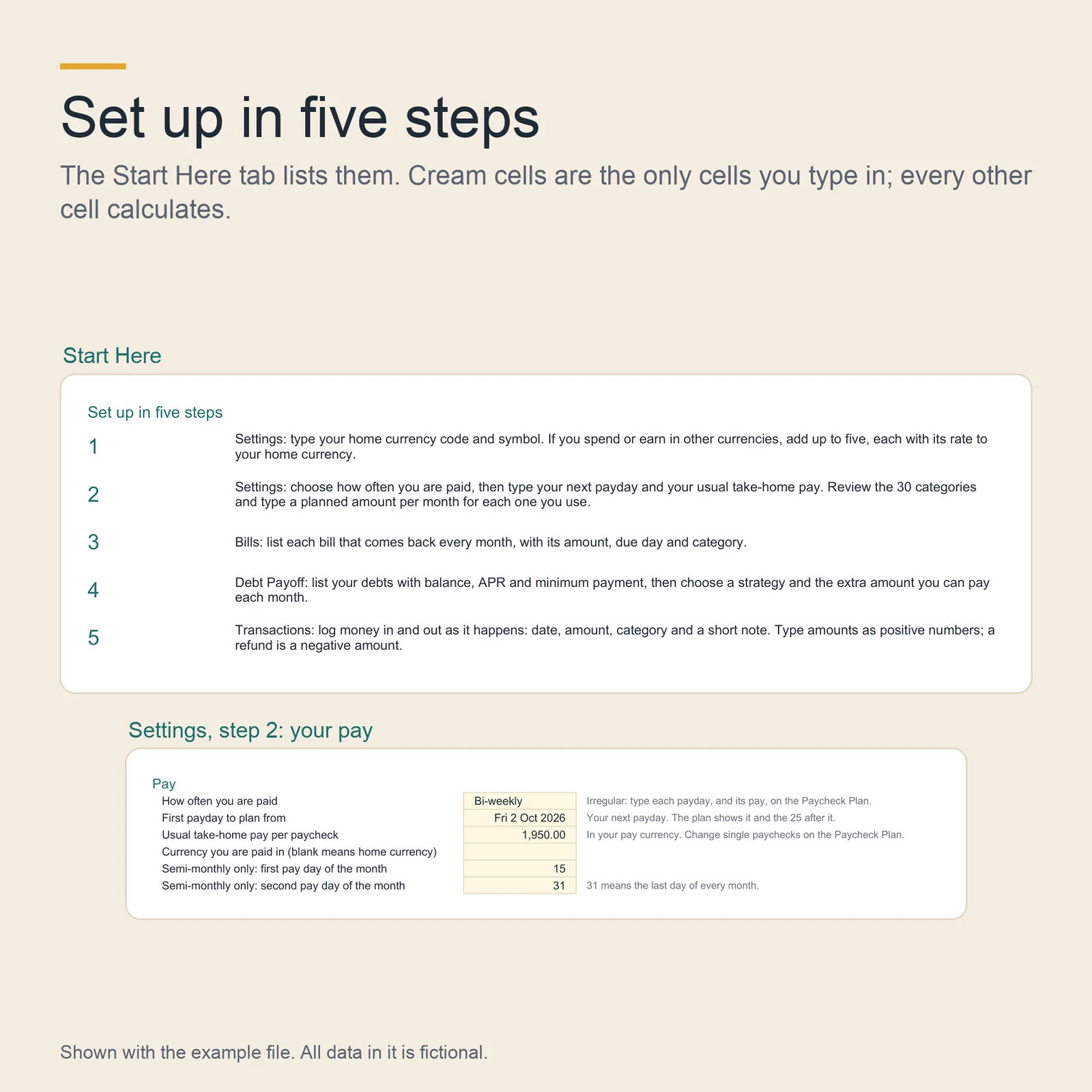
- Pay weekly, every two weeks, twice a month, monthly or irregular
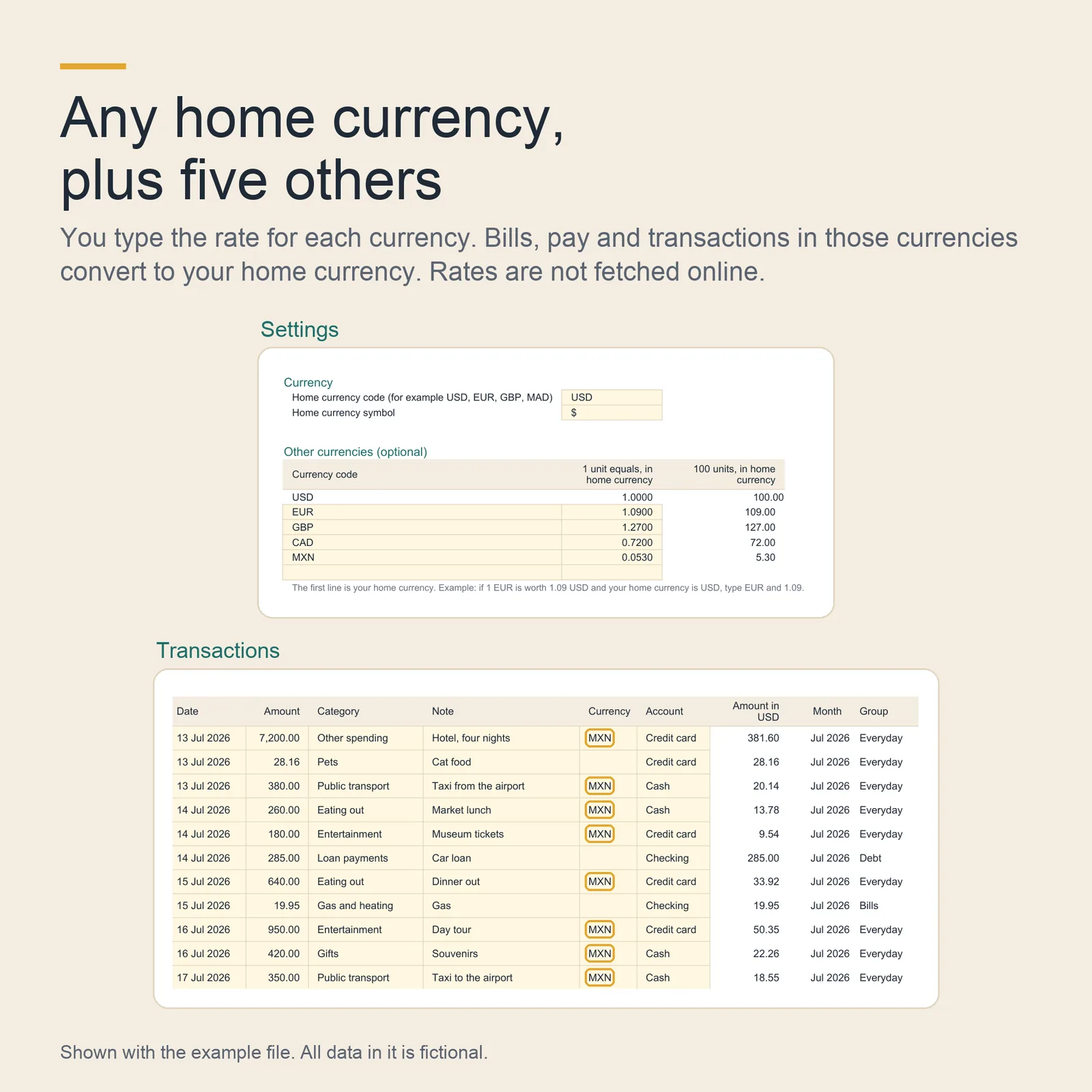
- Any home currency, plus up to five others at rates you set
- No macros, no add-ons, no links to other files
What you download
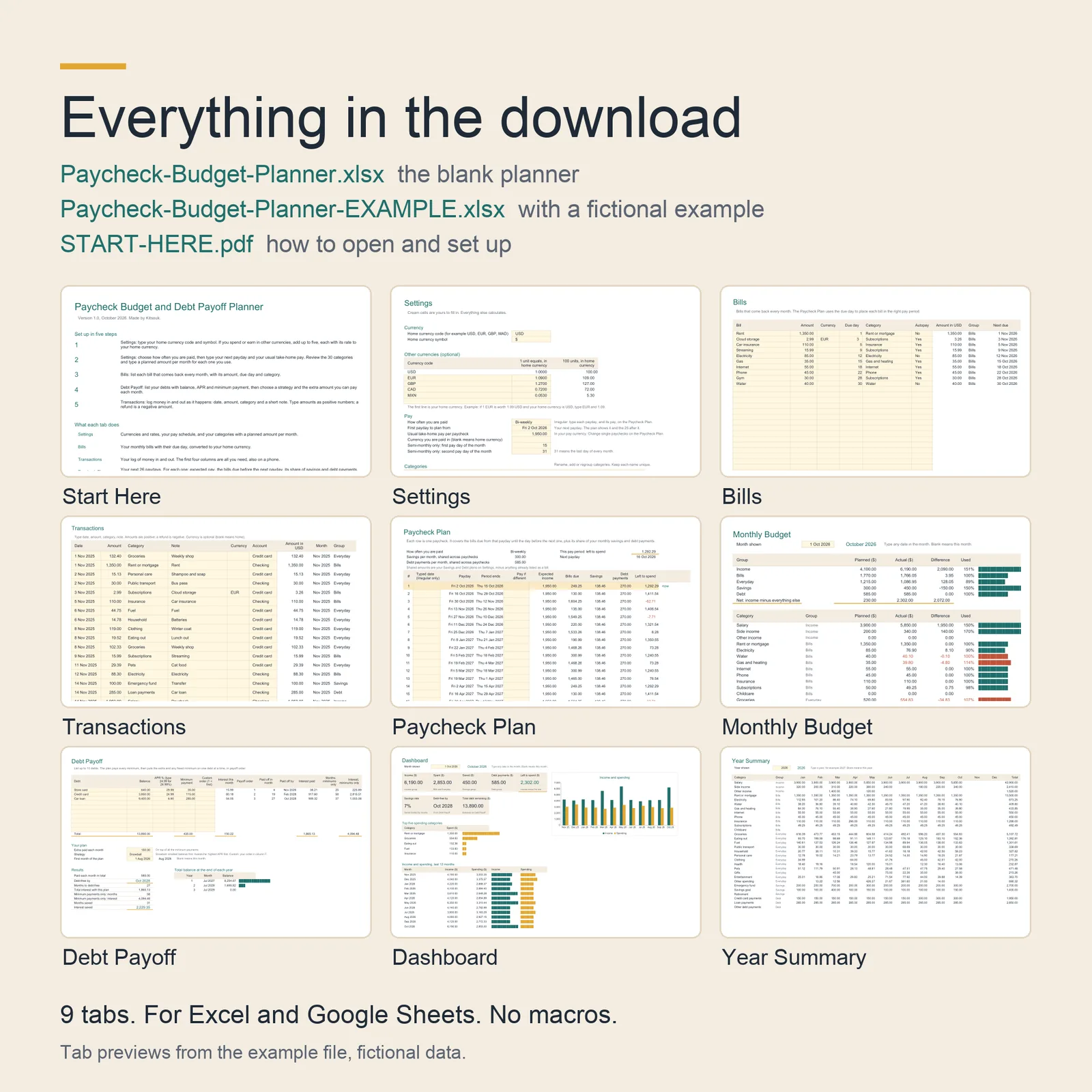
- Paycheck-Budget-Planner.xlsxThe blank planner, ready for your own numbers.
- Paycheck-Budget-Planner-EXAMPLE.xlsxThe same planner filled with a fictional example: one person paid every two weeks, three debts and twelve months of transactions, so you can see how it works before you type anything.
- START-HERE.pdfHow to open the files in Excel or Google Sheets, and the five setup steps.
The nine tabs
- Start Here
- The five setup steps and what each tab does.
- Settings
- Your home currency, up to five other currencies with the rate you set, how often you are paid, and 30 categories in five groups, each with a planned amount per month.
- Bills
- Up to 30 monthly bills, each with amount, currency, due day, category and autopay.
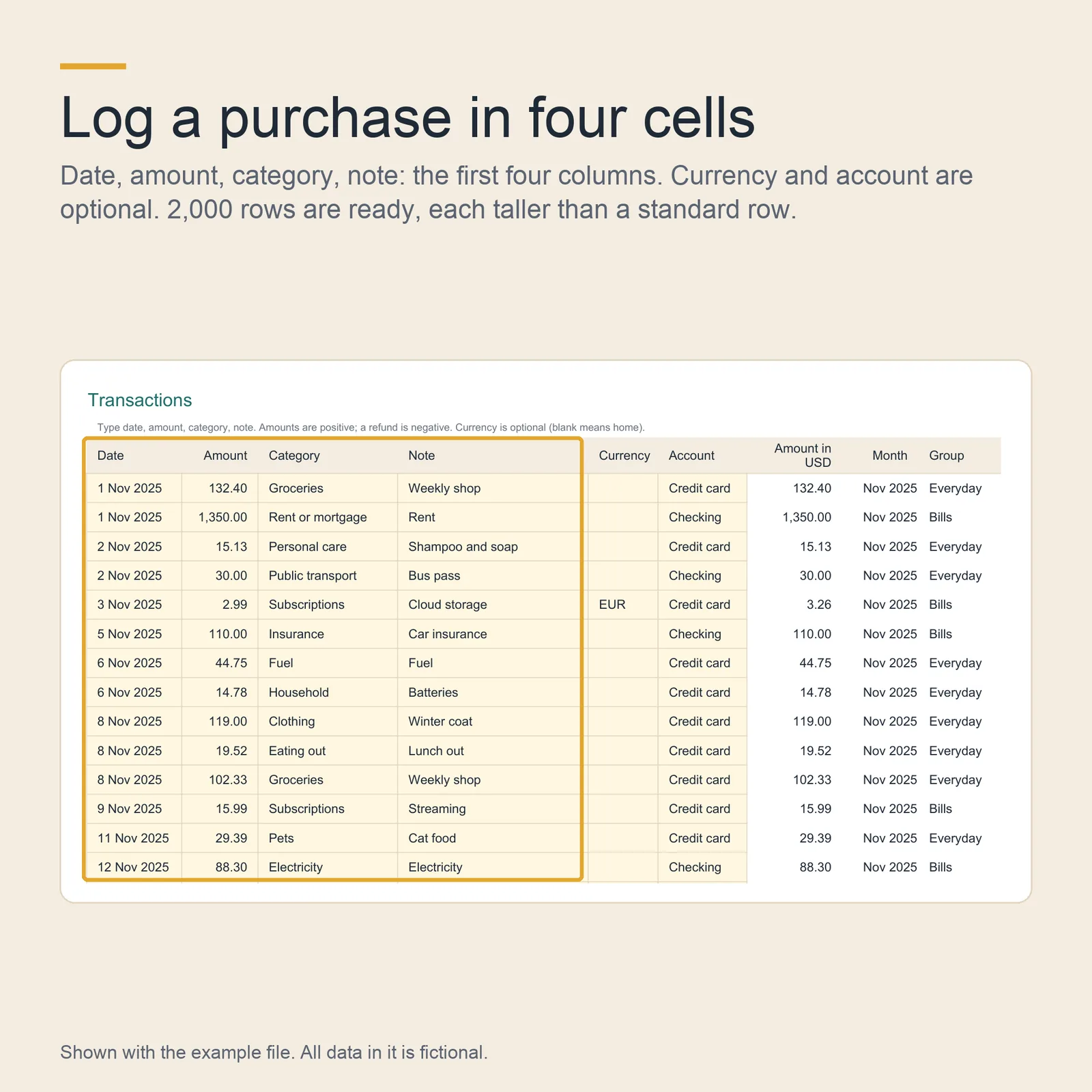
- Transactions
- Your log of money in and out, with 2,000 rows ready: date, amount, category and note are the four cells you need.
- Paycheck Plan
- Your next 26 paydays, each with expected pay, the bills due before the next payday, its share of savings and debt payments, and what is left to spend.
- Monthly Budget
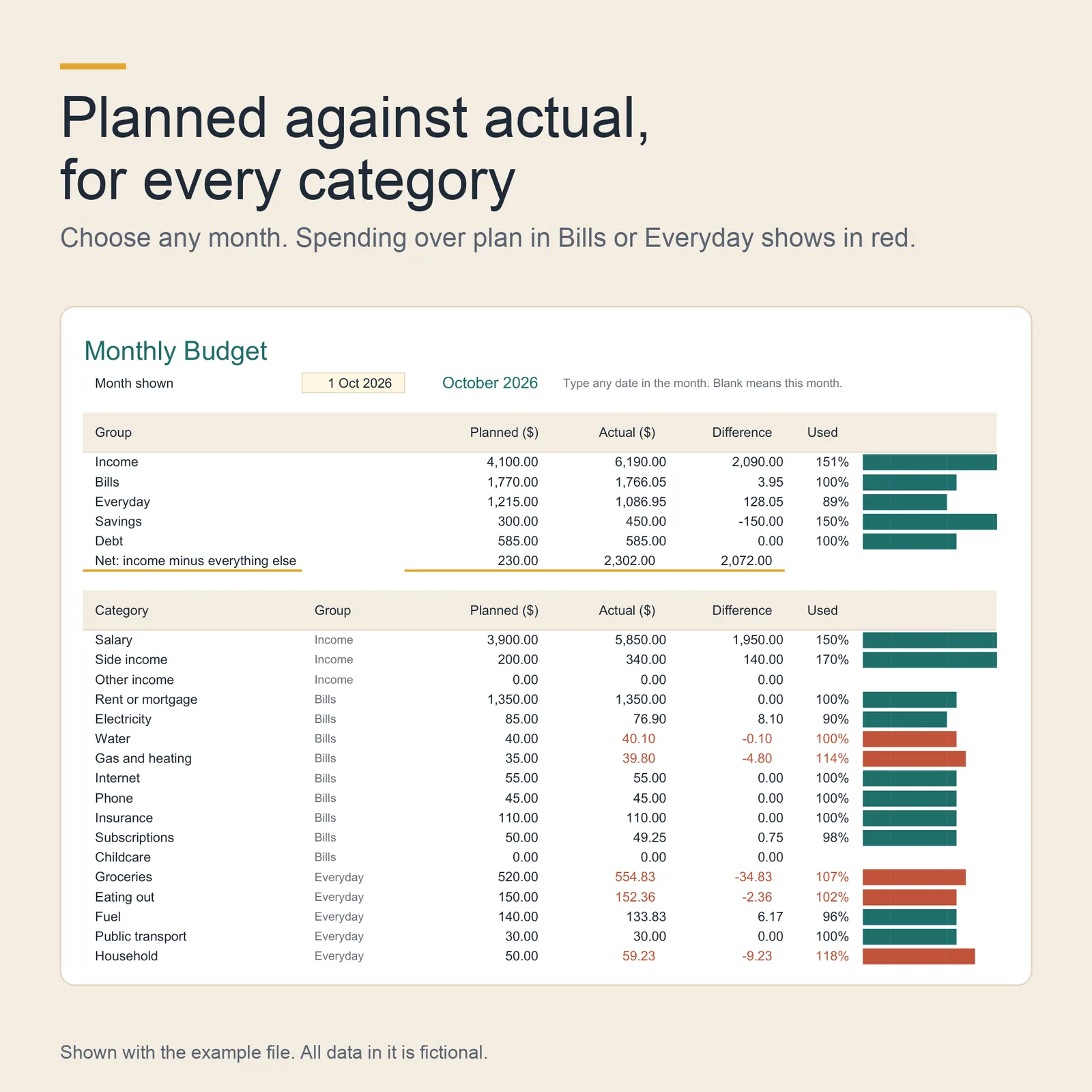
- Planned against actual for any month, by category and by group, with spending over plan in red.
- Debt Payoff
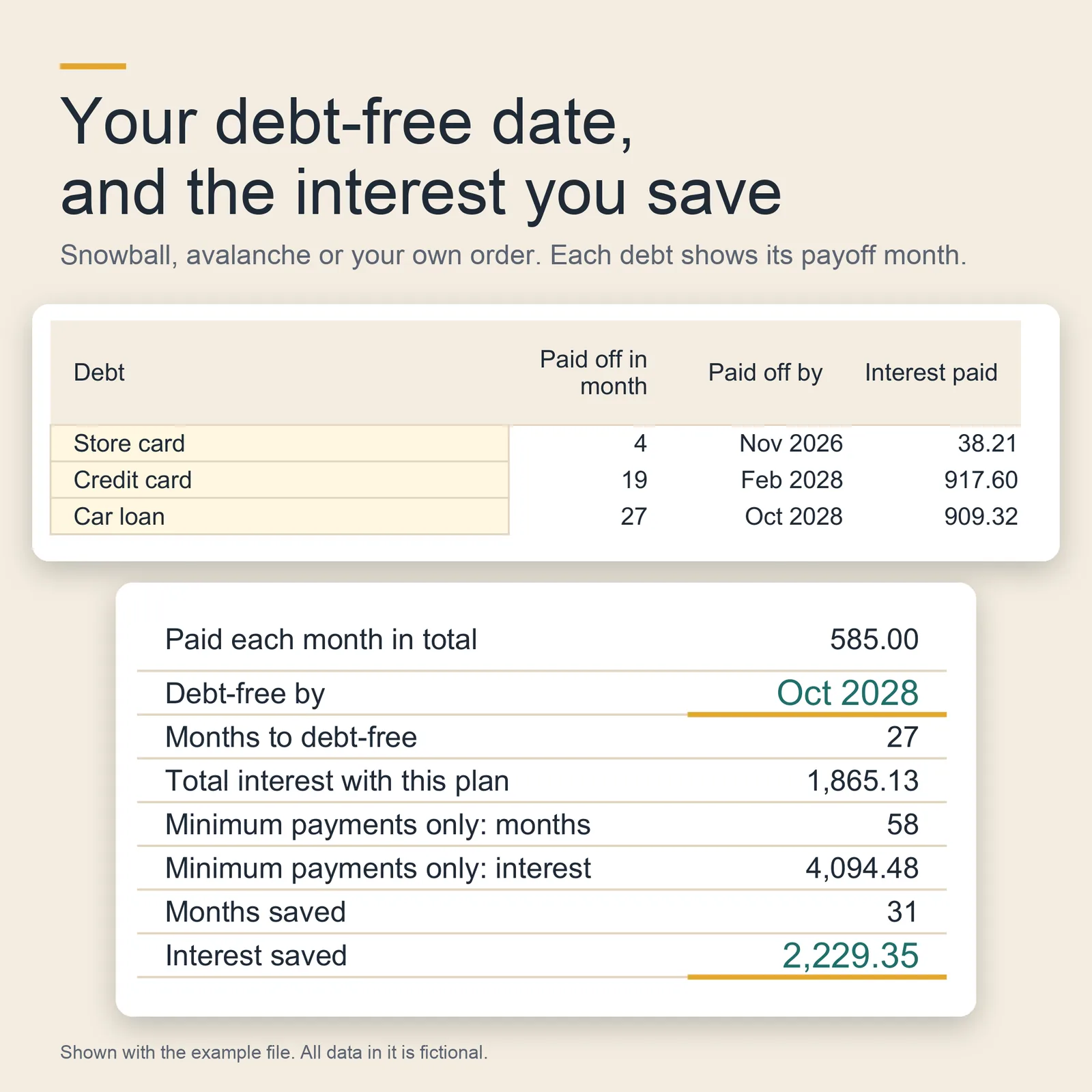
- Up to 10 debts paid by snowball, avalanche or your own order, with the month each one is paid off, your debt-free date and the interest you save.
- Dashboard
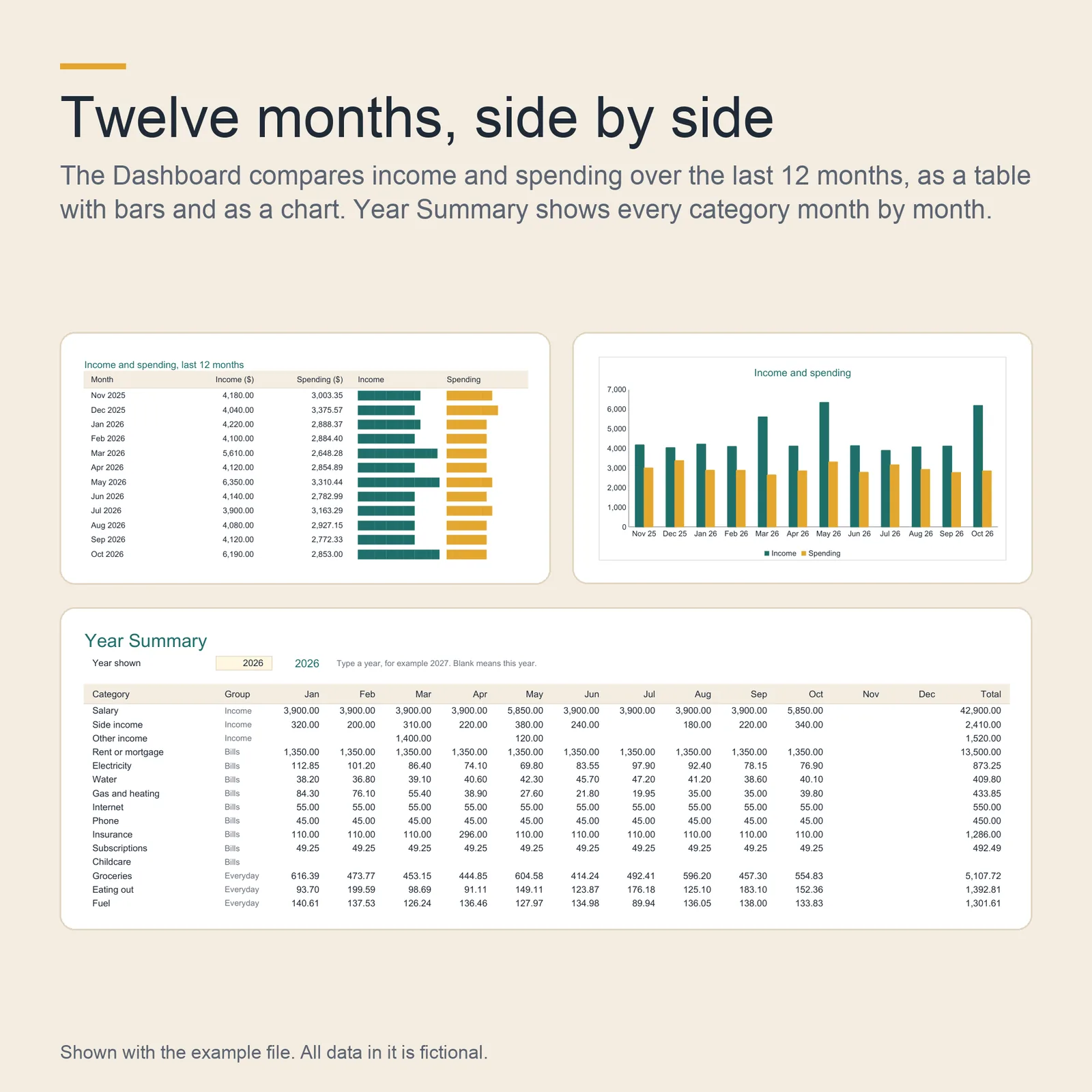
- One month at a glance, your top five spending categories, and income against spending for the last 12 months.
- Year Summary
- Every category month by month for one year, with totals.
Screenshots
Shown with the example file. All data in it is fictional. Select an image to open it full size.
How it works
You type only in the cream cells. Every other cell calculates. In Excel and LibreOffice the sheets are protected so that a formula cannot be overwritten by accident; there is no password, so you can unprotect any sheet. Google Sheets does not keep that protection when it converts the file, so there, keep to the cream cells.
Pay can be weekly, every two weeks, twice a month on any two days, monthly, or irregular, where you type each payday yourself. A single paycheck can have its own amount, for overtime or a short week. A bill due on the 29th, 30th or 31st falls on the last day of a shorter month.
In Debt Payoff, when a debt is paid off, its minimum payment moves to the next debt in your order. Results include the months and the interest you save compared with paying minimums only.
What it works in
- Google Sheets
- Tested
Upload the .xlsx file to Google Drive, open it, then choose File, then Save as Google Sheets. - Microsoft Excel
- Built for
Excel 2019 and later, and Microsoft 365, on Windows or Mac. The file uses no function newer than Excel 2019. - LibreOffice Calc
- Tested
Both files recalculate with no error value in any cell.
Who it suits
- People paid every week or every two weeks who want to know, before payday, which bills that paycheck has to cover.
- People who earn or spend in more than one currency.
- Anyone paying down several debts who wants a date to aim for.
What it does not do
- It does not connect to your bank: you type each transaction.
- It does not fetch exchange rates: you type each rate, and you can change it at any time.
- It is a planning tool, not financial advice. Interest is estimated each month from the APR, so your lender's statements can differ from its figures.
Questions
Can I use it on my phone?
The Transactions tab is laid out for small screens: the four cells you fill are its first four columns, and its rows are taller than standard. The other tabs are wide tables that read best on a computer or a tablet.
Which currencies does it handle?
Any home currency: you type its code and symbol. You can add up to five other currencies, each with a rate you type. Bills, pay and transactions in those currencies convert to your home currency.
Which version of Excel do I need?
Excel 2019 or later, or Microsoft 365, on Windows or Mac. The file uses no function newer than Excel 2019 and no macros.
Where do I find the files again?
Sign in to Etsy in a web browser, open Purchases, then choose Download Files. The Etsy app does not download digital files.
Can I get a refund?
If a file does not work as described here and I cannot fix it, you get a full refund. Write to hello@kitsouk.com within 14 days of your purchase. The refund policy has the details.
How do I get help?
Write to hello@kitsouk.com. Say which file and which tab, and what you see; a screenshot helps.
How was it made?
I designed this planner and built it with AI assistance, under my direction. The formulas were checked with automated tests in LibreOffice before release. The screenshots are images of the actual example file; no AI image generator was used.
Paycheck Budget and Debt Payoff Planner
12 USD. Two .xlsx files and a PDF guide, by download.